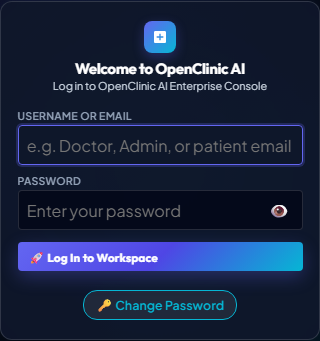
π₯ OpenClinic AI Playwright Runner
TC-AUTH-001
Authentication
Staff: Admin
β±οΈ PACING:
π’ Slow-Mo (1.5s / step)
β±οΈ Realistic Live (850ms / step)
β‘ Fast (400ms / step)
π Instant (50ms)
βΈοΈ Pause
π Retest Scenario Live
π₯οΈ Launch Desktop Chrome
π¨οΈ Export Trace
β Close
β‘ RUNNING LIVE PLAYWRIGHT EXECUTION...
Pacing: 850ms / step
Loading test scenario...
Initializing Playwright browser context...
Target URL
/app/
Elapsed Time
0.00s
Engine
Chromium 1280x800
playwright-runner --headed --record-trace
0/0 Steps
π Live Practice Viewport
πΈ Baseline Proof Snapshot
REAL-TIME APPLICATION VIEW
π οΈ Live Desktop Reproduction Command
Visible Browser Execution
Click
"βΆοΈ Launch Desktop Chrome"
to open a real visible Chromium window on your computer, or run the command in your terminal:
python run_live_scenario_playwright.py --test TC-AUTH-001 --slowmo 900
βΆοΈ Launch Desktop Chrome (One-Click)
π Copy CLI Command